
INSIGHTS / TELEMATICS OPERATIONS
How to identify the right account and vehicle from a WhatsApp message
In short: A WhatsApp number match does not prove who is writing. The number only shows which account the chat was linked to in advance. Identify the vehicle in this order: plate, device serial, screenshot, then one question. Search only the linked account, and give the same reply for another account's plate as for an unknown plate.
A fleet client writes on WhatsApp: "DEMO 412 is not moving on the map." Before the support desk checks anything, it must answer two questions. The first is which client account this chat belongs to. The second is which vehicle the message means. A support assistant must answer the same two questions before it reads any vehicle data.
This article is for heads of support, operations managers and systems integrators at GPS tracking providers. It gives an order for identifying the vehicle: plate, then device serial, then a screenshot, then a question to the customer. It then gives the account-scope rule as a separate step, with a mapping table for providers that work through dealers or regions. The plates, serials and account names in this article are invented. The Agentra Telematics solution page gives the product overview.
Why a phone-number match is not proof of identity
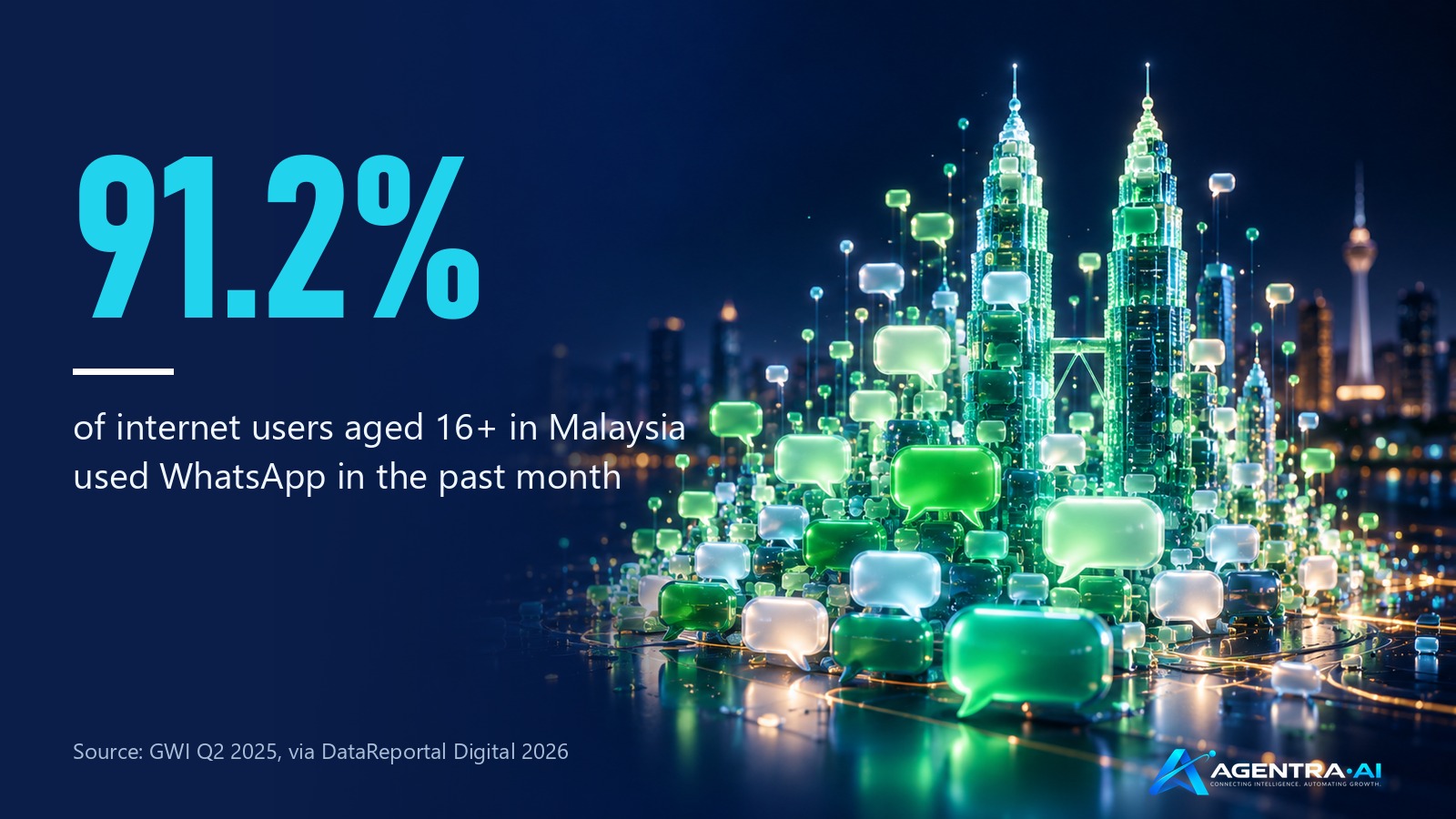
Most internet users in our markets already use WhatsApp. In GWI's Q2 2025 survey, 91.2 percent of internet users aged 16 and over in Malaysia said they had used WhatsApp in the past month. The figures were 89.0 percent in the United Arab Emirates, 82.9 percent in Saudi Arabia and 71.5 percent in Egypt. Egypt is the one market of the four where WhatsApp is not the most used platform. Facebook is first there, at 82.1 percent.
Show the data as a table
| Item | Value |
|---|---|
| Malaysia | 91.2% |
| United Arab Emirates | 89% |
| Saudi Arabia | 82.9% |
| Egypt | 71.5% |
When clients write to support on WhatsApp, a desk can be tempted to treat the sender's number as the client's identity. Meta's own developer documentation warns against this. A business can turn on an identity change check in the WhatsApp Cloud API. Meta then generates a new identity hash when a customer does something in WhatsApp that counts as an identity change. If the hash no longer matches, Meta tells the business to "assume the customer's phone number can no longer be trusted". It advises the business to verify the customer again through a channel other than WhatsApp. The page does not list which customer actions count as an identity change.
Account access problems are also real in Malaysia. MCMC is Malaysia's communications regulator. In a statement on 30 September 2026, MCMC said it had received 92 complaints about WhatsApp accounts. The accounts were suspended, inaccessible or accessed without authorisation. The count mixes two different problems, because MCMC treats account takeovers and account blocking as separate matters. MCMC later said that Meta acknowledged a technical error in more than half of the first batch of cases. For a support desk, the lesson has two parts:
- A known number can be in the hands of someone else.
- A real client who loses access can write from a new number that is linked to no account.
Support platforms draw the same line. Chatwoot's guide separates contact matching from identity validation. Contact matching recognises that two conversations may belong to the same customer. Identity validation confirms that the customer is allowed to use that identity. Chatwoot's example uses an email address, and the same distinction applies to a phone number.
Our rule follows from these facts. The number tells the desk which account the chat was linked to in advance. The link decides what the chat may see. Anything that would show more, or change something, goes to a person.
The identification order
The desk works through four steps in a fixed order. Each step uses the most reliable identifier that the customer has given so far. The desk stops at the first step that gives exactly one match inside the account linked to the chat.
- 1Plate in the messageAssistantRemoves spaces, ignores letter case and searches only the account linked to the chat. One match: identified.
- 2Device serialAssistantIf there is no single match, searches the serial or IMEI and confirms which vehicle the device is assigned to now.
- 3ScreenshotAssistantReads the plate from the image and runs the same scoped search. If nothing matches, repeats the plate and asks the client to confirm.
- 4One questionAssistantAsks for the plate as on the registration or the serial on the device label. Does not list the account's vehicles.
- 5Scope rule (separate step)System, outside the modelEvery lookup runs only in the linked account. Another account's plate gets the same reply as an unknown plate. An unlinked chat sees no vehicles.
- 6Dispute or new numberStaffConfirm the person through another channel, decide the request, and link the chat to the right account.
Step 1: The plate in the message
Most clients name a vehicle by its plate. The desk removes spaces and ignores letter case, so that "demo412" and "DEMO 412" give the same search. It then searches only inside the linked account. One match means the vehicle is identified. Two or more matches can happen when an old record still carries the plate. In that case, the desk asks for one more detail, such as the device serial or the driver's name.
Step 2: The device serial
A serial or IMEI identifies the tracking device, not the vehicle. It helps when the plate is new, missing or written in a different way on the platform. The desk must confirm which vehicle the device is assigned to now. A device can move to another vehicle, go back to spare stock or be entered wrongly at installation.
Step 3: A screenshot
Many clients send a screenshot of the tracking app or a photo of the vehicle instead of typing. In Zendesk's 2026 research, 76 percent of consumers said they would choose a company that allows text, images and video in one thread without restarting. The fieldwork covered 22 countries, including Malaysia. It did not include any country in the Middle East.
An AI agent can read a plate from an image, but the reading can be wrong. Anthropic's vision documentation says that its model "might hallucinate or make mistakes" with low-quality, rotated or very small images. It tells developers to verify image interpretations. For this reason, the plate that the agent reads from a screenshot goes through the same scoped search as a typed plate. If the search finds nothing, the agent repeats the plate it read and asks the client to confirm it.
Step 4: A question to the customer
If the first three steps give no single match, the desk asks one specific question. A good question asks for the plate exactly as it appears on the registration, or for the serial on the device label. The desk asks for one detail at a time. It does not list the vehicles in the account for the client to choose from. A list would show account data before the vehicle is identified.
The account-scope rule, as a separate step
Identification finds the vehicle. Scope decides whether this chat may see it. We keep the two steps separate because they fail in different ways. A wrong identification gives the client the wrong vehicle. A wrong scope gives the client another customer's vehicle.
The rule has three parts:
- Every lookup runs only inside the account that is linked to the chat.
- A plate that belongs to another account gets the same reply as a plate that does not exist.
- A chat that is linked to no account sees no vehicles.
The second part protects other customers. Suppose the reply for another customer's plate were "that vehicle is not in your account". That reply would confirm that the plate exists with someone else. The OWASP API Security Top 10 lists this class of fault first, as broken object level authorization. It says that every API endpoint that receives an object ID and acts on it "should implement object-level authorization checks". In a tracking desk, the plate is the object ID.
Map the account tree before you connect an assistant
Many tracking platforms arrange accounts as a tree. The provider sits at the top. Dealers or regions sit under it, then client companies, and sometimes branches or depots. Each level sees the levels below it. This is a common platform pattern, and the desk should use the same tree for chat access.
| Level in the tree | Who usually writes | Link the chat to | What the chat sees | Invented example |
|---|---|---|---|---|
| Provider | The provider's own support staff | The top account, for staff chats only | All vehicles | Demo Tracking |
| Dealer or region | A dealer's support person | The dealer's account | Every client under that dealer | Northern Dealer |
| Client company | A fleet manager | The client company's account | That company's vehicles, in all its branches | Demo Logistics |
| Branch or depot | A depot supervisor | The branch account | Only that branch's vehicles | Demo Logistics, Depot A |
| Unknown sender | A driver on a personal number, or a new number | Nothing | No vehicles; the case goes to staff | Not linked |
Link each chat at the lowest level that covers the person's work. A fleet manager linked to a whole region would see vehicles that belong to other companies.
Cases to decide in advance
- A person who works for two unrelated clients. The provider decides whether that person gets two chats or one link at a shared parent account.
- A vehicle moved to another client. The link follows the account. After the account tree is refreshed, the vehicle leaves the old client's view.
- A client who writes from a new number. The new chat is linked to nothing. Staff confirm the person through another channel, as Meta advises, before they link the chat.
- A request for a vehicle outside the account. The client gets the "not found" reply. If the client insists, staff decide.
Before you link chats to accounts
Use this list before you connect a support assistant to the tracking platform. Each item is a decision that the provider makes and writes down.
- The account tree from the tracking platform, with every dealer, region, client company and branch listed.
- For each existing chat, the one account it belongs to, at the lowest level that covers the person's work.
- Staff chats marked separately, because they are linked to the top account.
- The identification order: plate, device serial, screenshot, then one question.
- The plate search rule: spaces removed and letter case ignored.
- The exact "not found" sentence, used for unknown plates and for plates in other accounts.
- The rule for unlinked chats: no vehicle data, and the case goes to staff.
- The person who confirms a new number through another channel before the chat is linked.
- The decision for people who work for more than one client company.
- When the account tree is refreshed, so that moved vehicles leave the old client's view.
How the AI agent does this
An AI agent is software that uses a language model to decide which tools to call to finish a task. For identification, the agent needs three tools. The first is a read-only vehicle lookup by plate or serial. The second is the ability to read an image. The third is a handover that puts the case on a ticket for staff.
The OWASP Gen AI Security Project calls the main risk "excessive agency". It advises teams to "implement authorization in downstream systems rather than relying on an LLM to decide if an action is allowed or not". It also advises a human approval step for high-impact actions. For a tracking desk, this means that the model should not choose which account to search. The system should attach the chat's account link to the lookup, and the lookup should apply it.
A sequence that follows this advice works like this:
- The agent takes the plate or serial from the message, or reads it from a screenshot.
- It calls the read-only lookup with that identifier. The system adds the account that is linked to the chat.
- The lookup returns the vehicle's latest readings, or a "not found" result.
- The agent replies with what the platform reports, or asks the client to confirm the identifier.
- Identity disputes, new numbers and requests about other accounts go to staff on a ticket.
In Agentra Telematics, each customer chat is linked to one account in the provider's account tree and sees only the vehicles under that account. A plate outside that account gets the same answer as a plate that does not exist, and an unlinked chat sees no vehicles. Agentra does not verify who a person is. The provider decides which account each chat belongs to, and staff handle identity disputes. We start from read-only access. Our article on what an AI agent should be allowed to change on a device explains why.
Before you connect an assistant
The checklist above lists the decisions that the provider should make and write down first. Make these decisions before any assistant answers a client about a vehicle.
Our article on design rules for telematics support automation covers the wider rules for automated WhatsApp replies. To see where identification fits in a full case, read how Agentra Telematics handles one support case, step by step. The Agentra Telematics page for tracking providers shows the workflow that we scope with each provider.
Once the vehicle is identified and its tracker is silent, our guide on what the desk must establish before sending a technician covers the next step.
Questions providers ask
Is a WhatsApp number enough to identify a customer on support?
No. A number match shows which account a chat was linked to, but it does not prove who is writing. Meta tells businesses to stop trusting a number when the customer's identity hash changes. Meta then advises the business to verify the customer again through a channel other than WhatsApp.
In what order should a support desk identify a vehicle from a WhatsApp message?
Use the plate in the message first, then the device serial or IMEI, then a screenshot, then one specific question to the customer. Stop at the first step that gives exactly one match inside the account linked to the chat.
What should the reply be for a plate that belongs to another customer?
Give the same reply as for a plate that does not exist. A different reply, such as "that vehicle is not in your account", would confirm that the plate exists with another customer.
How should dealer and reseller accounts map to chat access?
Use the tracking platform's account tree, where each level sees the levels below it. Link each chat at the lowest level that covers the person's work: the client company for a fleet manager, the branch for a depot supervisor, and the dealer account for a dealer's support person.
Can an AI agent read a plate from a screenshot?
Yes, but the reading can be wrong, especially with low-quality, rotated or very small images. The plate that the agent reads should go through the same scoped search as a typed plate. If nothing matches, the agent repeats the plate and asks the client to confirm it.
Does Agentra Telematics verify who a customer is?
No. Each customer chat is linked to one account in the provider's account tree, and it sees only the vehicles under that account. The provider decides which account each chat belongs to, and the provider's staff handle identity disputes and new numbers.
Sources
- DataReportal (Kepios), Digital 2026: Malaysia, GWI Q2 2025 data (8 November 2025)
- DataReportal (Kepios), Digital 2026: United Arab Emirates, GWI Q2 2025 data (5 November 2025)
- DataReportal (Kepios), Digital 2026: Saudi Arabia, GWI Q2 2025 data (8 November 2025)
- DataReportal (Kepios), Digital 2026: Egypt, GWI Q2 2025 data (8 November 2025)
- Meta for Developers, WhatsApp Cloud API: Business phone numbers, Identity change check
- The Star, MCMC seeks comprehensive explanation from Meta regarding WhatsApp issues (30 September 2026)
- Berita RTM, Meta acknowledges technical error affecting WhatsApp accounts (3 October 2026)
- Chatwoot, Understanding Contact Identity and Identity Validation in Chatwoot (updated 24 June 2026)
- Zendesk, CX Trends 2026 press release (18 November 2025)
- Anthropic, Claude Platform docs: Vision, Limitations
- OWASP API Security Top 10, API1:2023 Broken Object Level Authorization
- OWASP Gen AI Security Project, LLM06:2025 Excessive Agency
To map one of your support cases with us, use the WhatsApp button on the Agentra Telematics page or write to info@agentra.my. Follow Agentra AI on LinkedIn.